QR Codes

  
Don’t Let a QR Code Lead You Astray: The Rise of “Quishing”
QR codes are everywhere these days – menus, advertisements, payment terminals. They’re convenient, fast, and generally helpful. But what if that quick scan leads you down a rabbit hole of deception?
  
Welcome to the world of QR code phishing, or “quishing.” This increasingly popular social engineering tactic leverages our trust and desire for speed. Cybercriminals are embedding malicious links into fake QR codes, often mimicking legitimate ones, to trick you into:
  
• Visiting phishing websites: These look like real login pages (banks, social media, email) but are designed to steal your credentials.
• Downloading malware: A seemingly harmless scan could install harmful software on your device.
• Giving away personal data: You might be prompted to enter sensitive information, thinking you’re interacting with a genuine service.
  
Why is quishing so effective? Because we tend to drop our guard. We trust QR codes because they’ve become part of our daily lives. Plus, it’s harder to inspect a QR code’s destination with the naked eye compared to a traditional URL.
  
How to Protect Yourself from Quishing:
  
1. Stop and Think: Before scanning, consider the source. Is it a legitimate, expected QR code, or does something feel off? Be extra cautious with QR codes on public posters, random flyers, or those sent via unsolicited emails/texts.
  
2. Inspect the Physical Code: If it’s a sticker placed over another QR code, or if the quality looks poor, it’s a huge red flag. Attackers often overlay fake codes on top of real ones.
  
3. Use a Secure Scanner App (If Possible): Some dedicated QR code scanner apps allow you to preview the URL before navigating to it. This gives you a chance to spot suspicious links. Your phone’s built-in camera usually goes directly, so an app can add a layer of safety.
  
4. Verify the URL After Scanning: Once you scan, and before you enter any information, always check the URL in your browser. Look for misspellings, strange domains (e.g., amaz0n.com instead of amazon.com), or non-secure http:// connections (look for https://).
  
5. Be Wary of Urgent Requests: If the QR code leads to a page demanding immediate action, personal info, or payment due to an “issue,” it’s likely a scam.
  
As cybersecurity professionals, we often talk about complex attacks, but sometimes the most effective ones exploit simple human trust. Let’s make “think before you scan” a new cybersecurity mantra.
  

#Cybersecurity #SocialEngineering #Phishing #Quishing #QRCode #CyberAwareness #InfoSec
The Clorox Breach! (Social Engineering Attack!)

  
Lessons from the Clorox Breach: Why Human Vigilance is Your Strongest Defense 🛡️!
  
The recent cyberattack on The Clorox Company, which led to significant operational disruptions and an estimated $356-$380 million in damages, serves as a powerful reminder of a crucial cybersecurity lesson: sometimes, the simplest tricks cause the biggest problems.
  
This isn’t a story of complex hacking. Instead, it highlights the devastating impact of Social Engineering. Reports and ongoing legal filings indicate that cybercriminals allegedly succeeded by repeatedly deceiving IT help desk personnel through impersonation and fraudulent password reset requests. The attackers simply asked for access, and allegedly, a third-party service provider’s help desk granted it without proper verification.
  
Key Takeaways for All of Us:
  
1. Social Engineering is a Top Threat: It’s not always about sophisticated code; often, it’s about tricking people. Be wary of any unusual requests for credentials, even if they seem to come from a trusted source.
  
2. Verify, Verify, Verify: Always independently verify requests for sensitive information or access. Don’t rely solely on an email or a phone call. Use known, official channels to confirm legitimacy.
  
3. Third-Party Risk is Real: Organizations must scrutinize the security practices of their vendors, especially those with access to critical systems. Their weak link can become your major vulnerability.
  
4. Security Protocols Matter: Policies and procedures are only effective if they are strictly followed, every single time. One lapse can open the door to a catastrophic breach.
  
The Clorox incident underscores that every individual, from an end-user to a help desk agent, is a critical part of the cybersecurity chain. Your vigilance is truly the first line of defense.
  
Stay alert and cyber safe guys!

Passwords- Make yours EPIC!-

  
Passwords: The Cornerstone of Your Online Security – Are Yours EPIC? 🔐
  
In our digital world, your password is often the very first barrier between your valuable information and cyber threats. But are yours truly protecting you, or are they a weak link in your security chain?
Let’s dive into the common threats to your passwords and what you can do to make them virtually unbreakable.
  
The Threats Are Real:
  
• Brute-Force Attacks: Cybercriminals use automated tools to guess millions of password combinations per second until they find yours. Simple, common passwords are gone in a flash.
  
• Phishing & Social Engineering: As we’ve discussed, tricky messages can fool you into giving away your password directly.
  
• Data Breaches: Even if your password is strong, if a company you use gets hacked, your login credentials could be exposed on the dark web.
  
• Password Reuse: This is a HUGE risk! If you use the same password for multiple accounts and one gets breached, hackers can then easily access all your other accounts.
  
Make Your Passwords EPIC & Boost Your Protection:
  
1. Generate Robust Passwords, Forget “password123”!
  
o Think Long Phrases: Instead of short, complex combinations, think of long, unique phrases you can remember. For example, “MyFavoriteSongLyrics!#99” is far more secure than “P@ssw0rd!”.
  
o The Longer, The Better: Aim for at least 12-15 characters. Every extra character exponentially increases the time it takes to crack.
  
2. Don’t Reuse Passwords!
  
o Treat each online account like a separate house needing its own unique key. If one key falls into the wrong hands (due to a data breach), your other “houses” remain secure.
  
o Password Managers are Your Best Friend: Tools like LastPass, 1Password, or Bitwarden generate, store, and auto-fill complex, unique passwords for all your accounts, so you only need to remember one master password. They are game-changers for robust security.
  
3. Turn On 2-Factor Authentication (2FA) – Your Online Superpower! 💪
  
o This is an absolute must-have. 2FA means that even if someone does get your password, they can’t get in without a second piece of verification, usually a special code sent to your phone or generated by an app.
  
o Enable 2FA for EVERYTHING important: Especially your email, banking, social media, and critical work accounts. It adds a powerful extra layer of defense that thwarts most automated attacks.
  

Your Action: Take a moment today to check your most important online accounts. Is 2FA turned on? Can you make your passwords even stronger by turning them into long, unique phrases?

Day 3: You are the Human Firewall!/¡Eres la Primera línea de defensa!

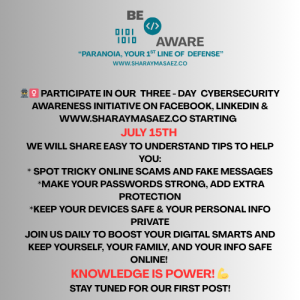
CYBERSECURITY AWARENESS INITIATIVE, JULY-15-17
  
 
It’s the final day of our 3-day Cybersecurity Awareness Initiative! 🚀 We’ve covered spotting scams and fortifying your digital core. Today, we’re talking about the most powerful defense you have: YOU – the Human Firewall.
Technology is vital, but most successful cyberattacks still exploit human factors. Your vigilance, awareness, and quick action are the ultimate lines of defense against sophisticated threats in 2025. Don’t underestimate your power to protect yourself, your team, and your organization.
 
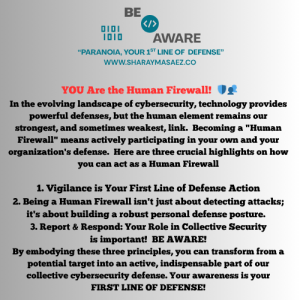
In the evolving landscape of cybersecurity, technology provides powerful defenses, but the human element remains our strongest, and sometimes weakest, link. Becoming a “Human Firewall” means actively participating in your own and your organization’s defense. Here are three crucial highlights on how you can act as a Human Firewall:
  
  
1.  Vigilance is Your First Line of Defense
 Cybercriminals constantly evolve their tactics, leveraging sophisticated methods like AI-powered phishing and deepfake impersonations. Your ability to recognize and question suspicious digital interactions is paramount. Don’t blindly trust every email, link, or request, even if it seems to come from a familiar source. A moment of critical thinking can stop an attack in its tracks.
• Action: Always verify unexpected or urgent requests through a known, independent channel (e.g., call the sender’s official number, don’t reply to the email). Hover over links before clicking.
  
  
2. Proactive Habits Protect Your Digital Perimeters
 Being a Human Firewall isn’t just about detecting attacks; it’s about building a robust personal defense posture. This includes consistently applying strong digital hygiene practices that reduce your susceptibility to common threats. Strong, unique passwords and Multi-Factor Authentication (MFA) are your primary access controls. Regular software updates close known vulnerabilities.
• Action: Implement strong, unique passphrases for all accounts, use a password manager, and enable MFA everywhere it’s offered. Ensure your devices and applications are set to update automatically
  
  
3. Report & Respond: Your Role in Collective Security
 Even the most vigilant individuals can face sophisticated attacks. Knowing when and how to report suspicious activity immediately is vital. Your timely alert can prevent a minor incident from escalating into a major breach, protecting not just yourself but your entire organization and network. Collaboration and communication are key to collective cybersecurity resilience.
• Action: If something feels “off” – an unusual email, a suspicious link, or strange device behavior – report it to your IT/security team without delay. Be aware of your organization’s incident response procedures.
  
  
** By embodying these three principles, you transform from a potential target into an active, indispensable part of our collective cybersecurity defense. Your awareness is your first line of defense!
  

ENGLISH VERSION


VERSION EN ESPAÑOL

Día 3: ¡Eres la Primera línea de defensa” (First Line of Defense) ¡Reporta y Reacciona! 🚨👥
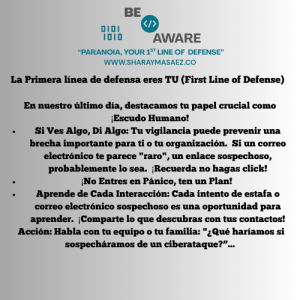
Hemos explorado muchos aspectos técnicos esta semana, pero recuerda: el enlace más fuerte en la ciberseguridad es a menudo una persona bien informada. En nuestro último día, destacamos tu papel crucial como primera línea de defensa: sabes cómo reportar actividades sospechosas y entiendes la respuesta básica a incidentes digitales.
  
1.  Si Ves Algo, Di Algo: Tu vigilancia puede prevenir una brecha importante para ti o tu organización. Si un correo electrónico te parece “raro”, un enlace sospechoso o tu celular se comporta de manera extraña, probablemente lo sea. Recuerda, ¡NO hagas Click!
  
  
2.  ¡No Entres en Pánico, Ten un Plan! Para las empresas, tener un Plan de Respuesta a Incidentes (PRI) es vital. Para las personas, define a quién vas a llamar (familiar de confianza, soporte técnico) si tus cuentas se ven comprometidas o sospechas de un virus.
  
  
3.  Aprende de Cada Interacción: Cada intento de estafa o correo electrónico sospechoso es una oportunidad para aprender. Comparte con tus contactos lo que descubras para aumentar el conocimiento cyber!
  
  
Acción: Habla con tu equipo o tu familia: “¿Qué haríamos si sospecháramos un ciberataque?… Saber cómo reaccionar anticipadamente hace una gran diferencia.


Day 2: Power Up Your Passwords & Add Double Protection! 🚀/ Dominar contraseñas sólidas y el poder de autenticación multifactor (MFA).

CYBERSECURITY AWARENESS INITIATIVE, JULY-15-17
  
 
Day 2: Power Up Your Passwords & Add Double Protection! 🚀
  
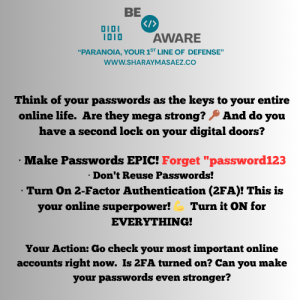
Think of your passwords as the keys to your entire online life. Are they super strong? 🔑 And do you have a second lock on your digital doors?
  
• Make Passwords EPIC! Forget “password123.” Think long, unique phrases you can remember (e.g., “FavoriteSongLyrics!#99”). The longer, the better!
  
• Don’t Reuse Passwords! If one account gets hacked, you don’t want all your other accounts falling too. Think of each account needing its own unique key.
  
• Turn On 2-Factor Authentication (2FA)! This is your online superpower! 💪 It means even if someone gets your password, they can’t get in without a special code sent to your phone or app. Turn it ON for EVERYTHING important – especially email, banking, and social media! It’s a game-changer for security.
  
Your Action: Go check your most important online accounts right now. Is 2FA turned on? Can you make your passwords even stronger? Let us know your best (but don’t share!) password tip
  

ENGLISH VERSION


SPANISH VERSION

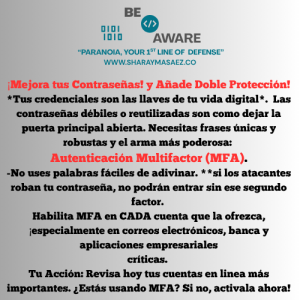
Es el Día 2 de nuestra iniciativa de concientización sobre ciberseguridad de 3 días! 🚀 Ayer hablamos sobre cómo detectar estafas en línea. Hoy vamos a mejorar tus defensas centrándonos en tu núcleo digital: dominar contraseñas robustas y el poder de la autenticación multifactor (MFA).
Tus contraseñas son la primera línea de defensa, pero MFA es tu compañero superhéroe, añadiendo una segunda capa de protección crucial.
 
 
¡Crea Contraseñas ÉPICAS!
Olvídate de “contraseña123”. Piensa en frases robustas y únicas que puedas recordar (por ejemplo, “MiCancionFavorita!#99”).
 

¡No Reutilices Contraseñas! Si una cuenta es hackeada, no querrás que todas tus otras cuentas también lo sean. Piensa que cada cuenta necesita su propia llave.
 

¡Activa Autenticación de Dos Factores (2FA)! ¡Este es tu super poder en línea! 💪 Esto significa que si alguien consigue tu contraseña, no podrá entrar sin un código especial enviado a tu teléfono o a una aplicación. ¡Actívala para TODO lo importante – especialmente correo electrónico, banca y redes sociales! Es un cambio radical para tu seguridad cibernética.
 

Tu acción: Revisa ahora mismo tus cuentas en línea más importantes. ¿Están seguras con 2FA?


Day 1: Don’t fall for Online Tricks!, Beware of Phishing & Fakes!/ ¡Cuidado con Phishing y las Falsificaciones!

CYBERSECURITY AWARENESS INITIATIVE, JULY-15-17
  
 
ENGLISH VERSION
 
Day 1: Don’t Fall for Online Tricks! 🎣 Beware of Phishing & Fakes!
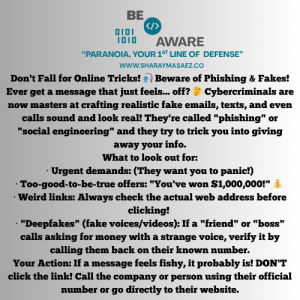
Ever get a message that just feels… off? 🤔 Cybercriminals are now masters at crafting realistic fake emails, texts, and even calls sound and look real! They’re called “phishing” or “social engineering” and they try to trick you into giving away your info.
  
What to look out for:
 
• Urgent demands: “Your account will be closed in 24 hours!” ⏳ (They want you to panic!)
 
• Too-good-to-be-true offers: “You’ve won $1,000,000!” 💰 (If you didn’t enter, you probably didn’t win!)
 
• Weird links: Always check the actual web address before clicking! Hover your mouse over it (if on computer) or long-press (if on phone). Does it REALLY go to your bank?
 
• “Deepfakes” (fake voices/videos): If a “friend” or “boss” calls asking for money with a strange voice, verify it by calling them back on their known number.


Your Action: If a message feels fishy, it probably is! DON’T click the link! Call the company or person using their official number or go directly to their website.


SPANISH VERSION

Día 1: ¡No caigas en trucos en línea! 🎣 ¡Cuidado con Phishing y las Falsificaciones!
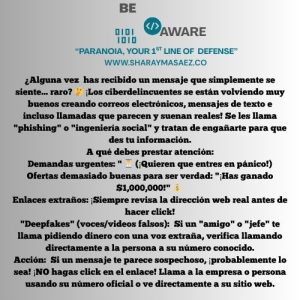
¿Alguna vez has recibido un mensaje que simplemente se siente… raro? 🤔 ¡Los ciberdelincuentes ahora son expertos en crear correos electrónicos, mensajes de texto e incluso llamadas falsas que se ven y suenan muy reales! Se les llama “phishing” o “ingeniería social” y tratan de engañarte para que les des tu información.
 
• Demandas urgentes: “¡Tu cuenta será cerrada en 24 horas!” ⏳ (¡Quieren que entres en pánico!)
 
• Ofertas demasiado buenas para ser verdad: “¡Has ganado $1,000,000!” 💰 (Si no participaste, ¡probablemente no ganaste!)
 
• Enlaces extraños: ¡Siempre revisa la dirección web real antes de hacer click! Pasa el mouse sobre el enlace (si estás en la computadora) o mantén presionado (si estás en el teléfono). ¿REALMENTE va a tu banco?
 
• “Deepfakes” (voces/videos falsos): Si un “amigo” o “jefe” te llama pidiendo dinero con una voz extraña, verifica llamando a su número conocido.
 
Tu acción: Si un mensaje te parece sospechoso, ¡probablemente lo sea! ¡NO hagas click en el enlace! Llama a la empresa o persona usando su número oficial o ve directamente a su sitio web.


Educational platforms to raise Cybersecurity, Phishing and Online safety


1.    SANS is primarily known for its world-class cybersecurity training and certifications. Website: www.sans.org
 
– Leading Cybersecurity Training & Education: SANS is renowned globally for its intensive, hands-on cybersecurity courses.  They offer a vast catalog covering everything from foundational cyber defense to highly specialized topics like penetration testing, digital forensics, cloud security, and industrial control systems (ICS) security.
– GIAC Certifications: SANS developed and maintains the Global Information Assurance Certification (GIAC) program, which provides rigorous, industry-recognized certifications that validate practical cybersecurity skills.  These certifications are highly respected by employers in the field.
– Community & Research (Internet Storm Center): Beyond training, SANS fosters a strong cybersecurity community.  They sponsor the Internet Storm Center (ISC), a free service that provides daily summaries of cyber threats and security news, powered by a community of security practitioners.  They also contribute to research and provide a wealth of free resources.
 
 
2.   KnowBe4 Resource Center – Phishing: Website: knowbe4.com/resource-center/phishing

–   Why it’s great: KnowBe4 is a leader in security awareness training.  Their resource center has a vast library of articles, reports (like their “Phishing By Industry Benchmark Report”), and guides on various phishing techniques and prevention.  They often provide real-world examples.
 
 
3.   Wizer (Free Security Awareness Training): Website: wizer-training.com

–   Why it’s great: Wizer offers free, engaging, and short video-based security awareness training, including specific modules on phishing.  Their approach is designed to be easy to digest and remember.
 
 
4.   edX / Coursera / Cybrary (Online Courses): Websites: edx.org, cybrary.it (search for “phishing” or “cybersecurity for beginners”)


Why it’s great: These platforms offer a range of courses, some free or with free audit options, from reputable universities and experts. While some are more technical, many offer introductory courses on cybersecurity basics, phishing identification, and online safety for the general public. Look for courses like “Cybersecurity Essentials.”

Situational Awareness!


As someone wisely reminded me, security extends beyond the cyber realm into my physical environment, demanding attention to my immediate surroundings. In today’s increasingly digitized world, it’s easy to focus solely on cyber threats and overlook the importance of physical security. That’s why I want to share with you some practical tactics to enhance both cyber and physical security:

1.  Stay vigilant:  Awareness is the cornerstone of security. Stay mindful of your surroundings, whether you’re walking down the street, at a gas station, working in a café, or even at home. Being alert can help you spot suspicious activities or individuals. Always remember, “it is easy to miss something you are not looking for”.
 
2.  Practice situational awareness:  Understand potential risks and vulnerabilities in different environments. Whether it’s knowing emergency exits in your favorite restaurant or recognizing phishing emails in your inbox, being situationally aware empowers you to respond effectively to threats.
 
3.  Secure you devices:  Physical security starts with safeguarding your devices. Ensure your personal devices are password protected and consider using additional security measures like biometric, authentication or encryption to protect sensitive data.
 
4.  Be mindful of Public Wi-fi:  Public Wi-Fi networks are convenient but at the same time they are insecure. Avoid accessing sensitive information, such as banking or personal accounts, when connected to public Wi-Fi. If necessary, use a virtual private network (VPN) to encrypt your internet connection and enhance security.
 
5.  Protect Personal Information:  Be cautious about sharing personal information in public spaces or online. Avoid discussing sensitive topics or sharing personal details in public forums, and/or regularly review privacy settings on social media platforms to control who can access your information.
 
6.  Practice Good Cyber Hygiene:  Regularly update software, use strong, unique passwords/passphrases, and enable two-factor authentication to reinforce your digital defenses against cyber threats.
 
7.  Trust your Instincts:  If something feels off or suspicious, trust your instincts and take appropriate action. Whether it’s reporting a suspicious package or avoiding a potentially risky situation, prioritizing your safety is your goal.
 
8.  Seek Training and Education:  Stay informed about security best practices through training programs, workshops, or online resources. Knowledge is a powerful tool in defending against both physical and cyber threats.
 

Stay safe and secure guys!